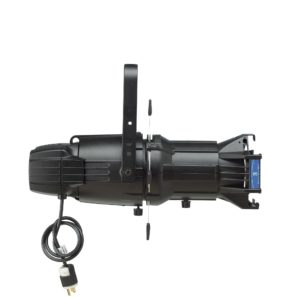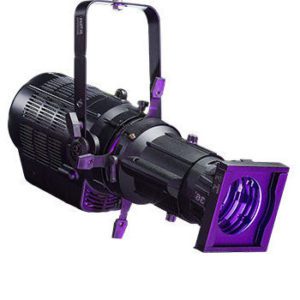

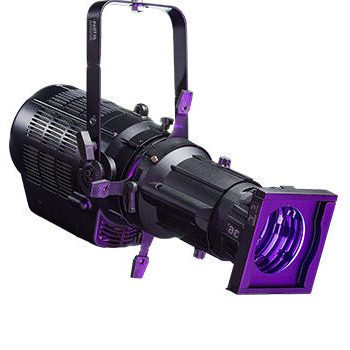
Description
The PHX3 340W RGBL engine and shutter center assembly converts a compatible ellipsoidal body into a full-color LED profile fixture without the cost of buying a complete new unit. Built by Altman Lighting, this drop-in module pairs a color-mixing RGBL LED array with a precision shutter assembly, giving you the sharp, shapeable beam of a traditional profile plus the output of a modern LED stage spotlight. It’s engineered with a number of innovative details and features that improve efficiency and versatility without sacrificing performance, making it a straightforward way to bring existing fixture bodies up to LED standards.
Key Features Of 350W PHX LED Spotlight
- RGBL LED array delivers full-spectrum color mixing in a compact LED profile fixture engine.
- 340W output built to match the punch and reach of a traditional LED stage spotlight.
- Precision shutter center assembly for sharp beam shaping and clean stage edges.
- Compact 25 lb assembly in a 48 x 12 x 12 in footprint, sized to retrofit compatible fixture bodies.
- Engine-and-shutter design lets you upgrade existing housings instead of replacing full fixtures.
- DMX-controllable operation for direct integration into existing lighting consoles and cue stacks.
How To Use The 350W PHX LED Profile Fixture
- Confirm Fit: Check that your existing fixture body accepts a PHX3 engine and shutter center assembly before ordering, since this unit is designed to retrofit a compatible housing rather than stand alone.
- Install The Assembly: Remove the old lamp engine and shutter module from the fixture body, then seat the new PHX3 engine and shutter center assembly and secure it per the mounting hardware provided.
- Connect Power and DMX: Wire the assembly to the fixture’s power input and link DMX In/Out to your lighting console with a standard 5-pin XLR cable, daisy-chaining additional fixtures as needed.
- Set the DMX Address: Use the onboard menu to assign a DMX start address that matches your console’s patch, then confirm the fixture responds correctly from the board.
- Shape The Beam: Use the shutter blades to cut sharp stage lines or soft edges, and adjust focus so the beam meets the needs of the cue.
- Dial In Color: Bring up the RGBL channels from your console to mix the desired color temperature or hue, using the L (lime) channel to improve rendering on skin tones and whites.
- Maintenance: Wipe the lens and shutter blades and check mounting hardware periodically, and keep vents free of dust so the LED engine runs at its rated output and lifespan.